Does Google Classroom Have an AI Detector? What Teachers Actually Need
Google Classroom has no built-in AI detector, but schools can add one: Pangram integrates with your LMS to score every assignment automatically.

Grading is a lot harder now that AI is so popular. For example, 91% of students admit to using some form of AI for assignments.
If you are a teacher, you probably want to know whether or not your favorite learning management system (LMS) can catch AI generated submissions.
So, does Google Classroom have an AI detector?
This guide explains the following:
- Google Classroom's current native capabilities.
- The difference between plagiarism and AI.
- How to seamlessly integrate enterprise-grade AI detection into your current grading workflow.
Does Google Classroom Have a Built-In AI Detector?
No, Google Classroom does not have a built-in AI detector. It does offer Originality Reports, though, which function strictly as traditional plagiarism checkers.
Google’s Originality Reports tool checks the internet and looks for direct, word-for-word matches of existing text, to detect plagiarism.
Originality Reports do not analyze statistical predictability or syntax patterns. Because of this, it can’t catch AI generated text.
How to Add a Google Classroom AI Detector (LMS Integration)
Schools can add a Google Classroom AI detector by integrating third-party tools like Pangram into their LMS. This lets teachers see AI likelihood scores automatically on every assignment.
Instead of copy-pasting student essays into a website, teachers can see the AI score within Google Classroom.
Unlike many AI detectors, enterprise tools like Pangram are SOC 2 Type 2 certified. They do not use student data to train their models, which makes them secure and easy for school IT admins to officially whitelist.
Using an AI detector extension for real-time grading
If you are a teacher who prefers grading inside the document, using a Google classroom AI checker Chrome extension lets you do so. The Pangram Chrome Extension can serve as a Google Docs AI detector extension.
Using the Pangram Chrome Extension, a teacher can check AI in Google Docs by:
- Opening a student’s Google Doc.
- Highlighting a piece of suspicious text.
- Clicking on the Pangram Chrome Extension.
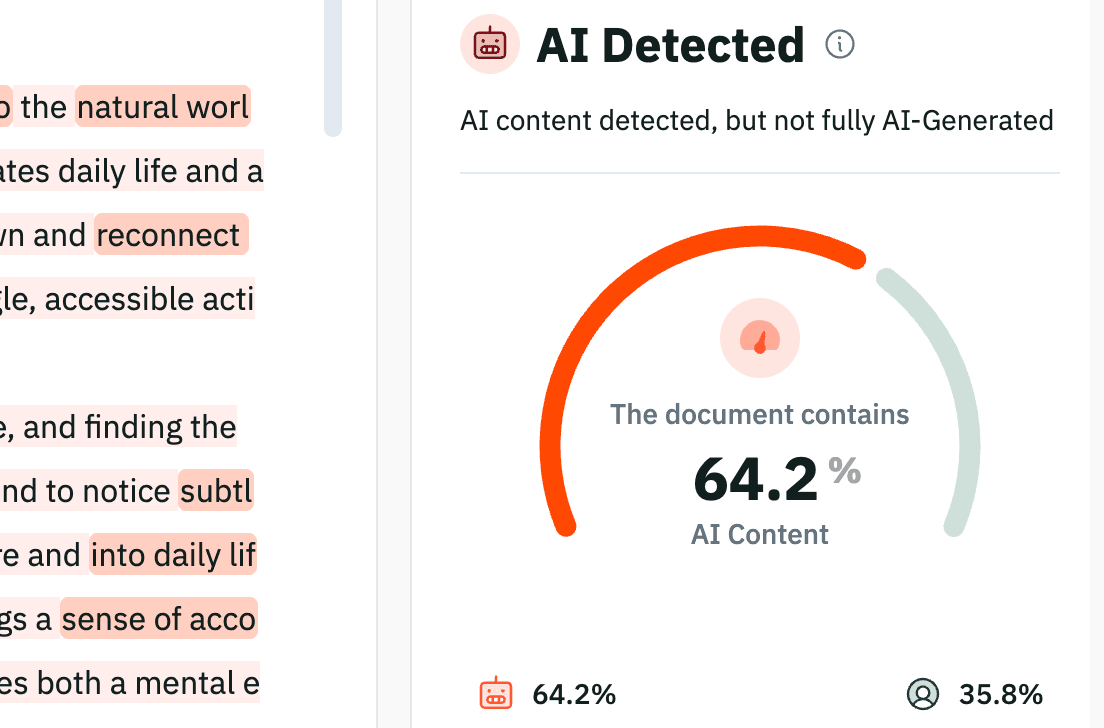
- Receiving a color-coded breakdown of what was human-written and what was AI generated.
You should use an AI detector alongside Google Docs native version history. Clicking on this version history can let you see if a complex essay “magically appeared" in 3 minutes.
Why accuracy matters more than convenience
Integrating an AI detector into Google Classroom is only helpful if the detector is highly accurate. Relying on free, unverified AI detectors often leads to false positives and unjust accusations against students.
Every educators #1 AI detection fear is falsely accusing a student of cheating. Many free AI detection tools flag formal and ESL writing as AI generated. These tools cannot be trusted to properly assess a student’s writing.
Pangram uses advanced research methods to achieve two things: a 99.98% accuracy rate and an industry-leading false positive rate of 1 in 10,000. Pangram protects authentic student voices from false accusations of AI usage.
Best Practices for Handling AI-Flagged Assignments
When an AI detector flags an assignment for AI, the AI score should be used as a conversation starter, rather than an immediate disciplinary verdict.
You can compare a suspected AI-generated essay to a student's previous writing. And, then, you can ask the student to explain their writing process. This can give you the full picture, including how AI usage may have played into their work.
If you use Pangram with Google Classroom, you can see which segments of a student’s work were fully AI generated. You can also see which segments were lightly-assisted with AI.
Being able to see which segments of a student’s work were AI generated/lightly-assisted with AI will help you determine how a student used AI in their work.
While Google Classroom doesn't natively detect AI, educators don't have to overhaul their entire grading process to find the truth.
By integrating a secure, highly accurate AI detector directly, like Pangram, into Google Classroom and Google Docs, teachers can maintain academic integrity and get back to what truly matters: teaching.
Grade smarter, not harder. Bring the world's most accurate AI detector directly into your Google Classroom workflow today.

Alex Roitman is Head of Growth at Pangram Labs, an AI content detection company. His work focuses on how AI-generated text is reshaping writing, education, and trust in the open web.
Related reading
What AI Detector Should Colleges Use? The 2026 Academic Standard
Are AI Resume Builders Worth It? How Modern ATS Systems Work

Comprehensive Guide to Spotting AI Writing Patterns

Paralegal Guide: Detecting AI in Legal Documents
Yes, AI detection can be accurate

How To Build AI Ethics Frameworks in Journalism