
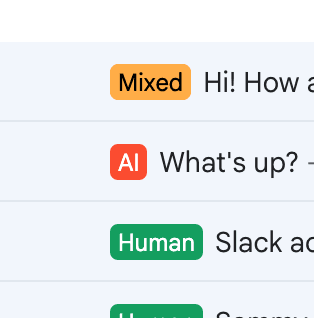
Our Gmail integration brings Pangram right to your inbox. Pangram checks your incoming mail for AI-generated text and adds a label (Human, AI, or Mixed) to each item.
Adding Pangram to Gmail
- Go to https://www.pangram.com/gmail
- Click
Connect your Gmailand complete the authorization process. - Review the default options:
- Never check mail from: Add or remove types of mail that you don’t want Pangram to scan.
- When mail is AI-written: Decide what Pangram should do with AI-generated mail (leave it, archive it, or send it to spam).
- Label human mail: Toggle if you want human-written mail to receive a
Humanlabel.
- Click
Start scanning.- Pangram will scan the most recent messages in your current inbox.
- You will now see the labels (Human, AI, or Mixed) next to each email in your inbox.
From your dashboard (https://www.pangram.com/gmail) you can see an overview of activity and adjust settings. You can also disconnect your Gmail account here.
Note on data privacy: The detector does not retain the email text, and does not scan or receive any information about the sender, recipients, subject, or other mailbox metadata. We practice zero data retention for our Gmail integration, meaning we do not log or store your email message, subject, or detection results on our servers.