This guide covers signing in to Pangram and signing out again.
Log in
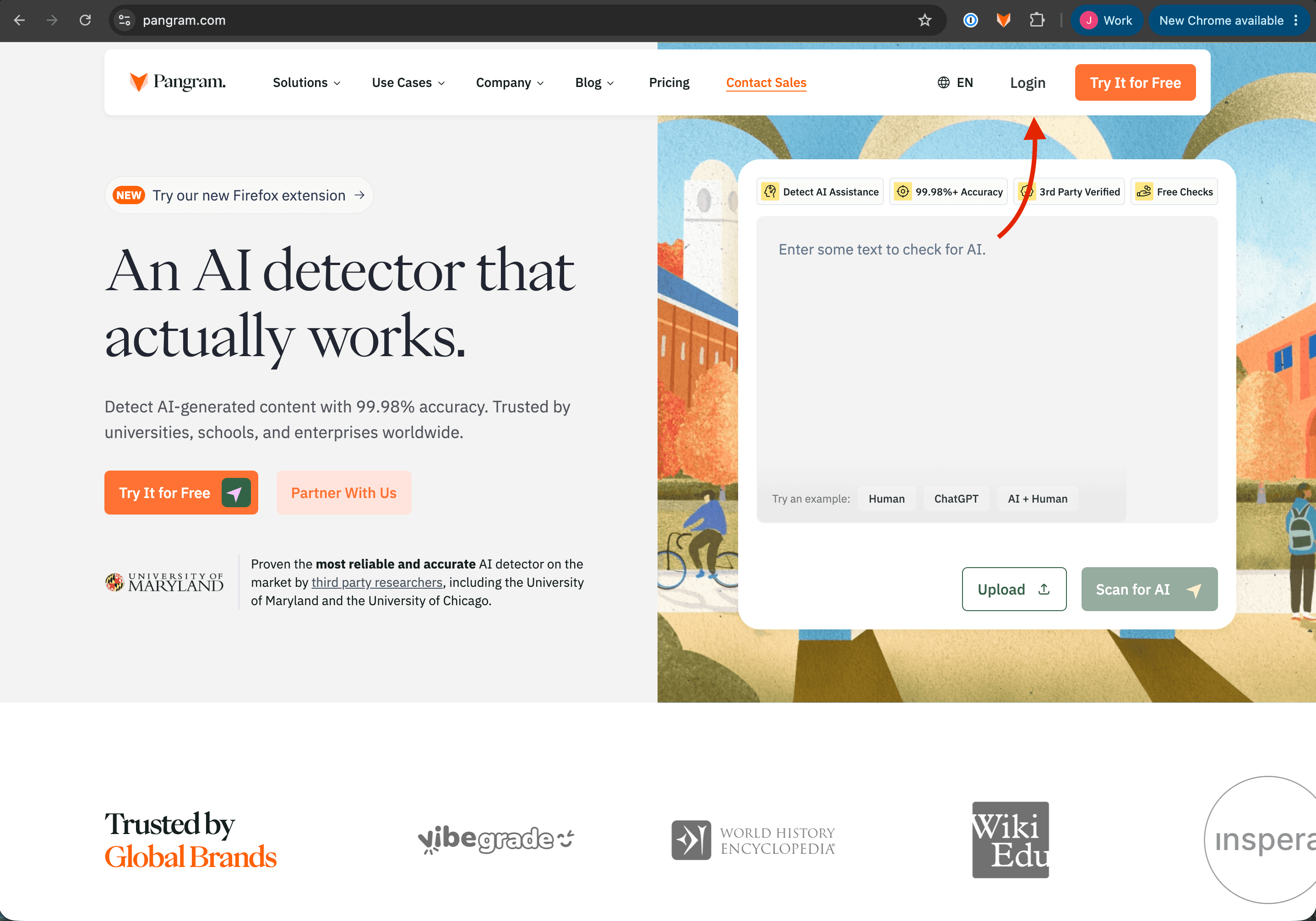
- Go to Pangram's home page at https://www.pangram.com and click Login in the upper right.
- If you are already logged in, this button will say "Dashboard" instead of Login. Click Dashboard to be taken to your logged-in dashboard
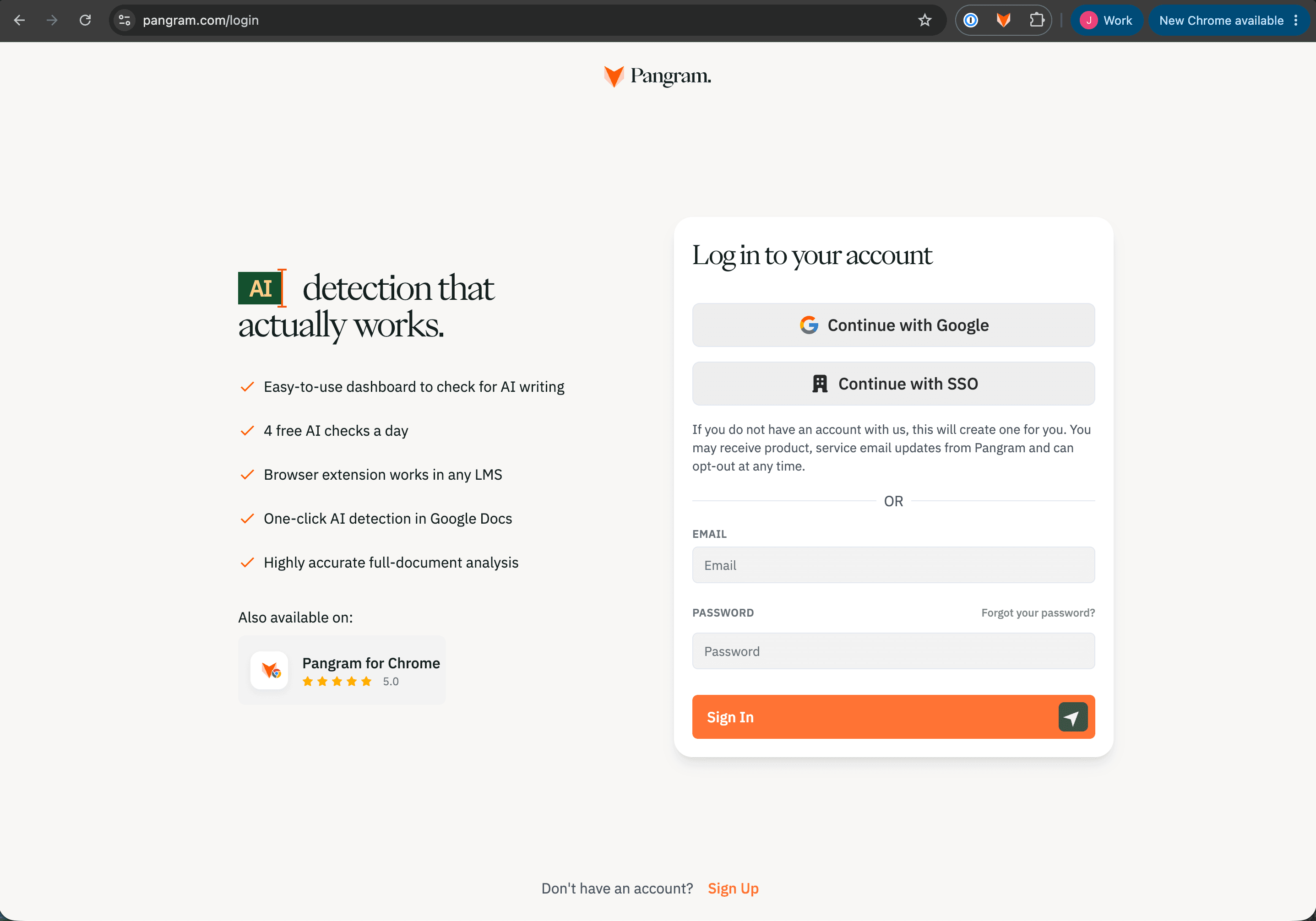
- Sign in with your email and password, or with a supported single sign-on option, via Google or SSO
- You'll land on your dashboard once signed in.
Log out
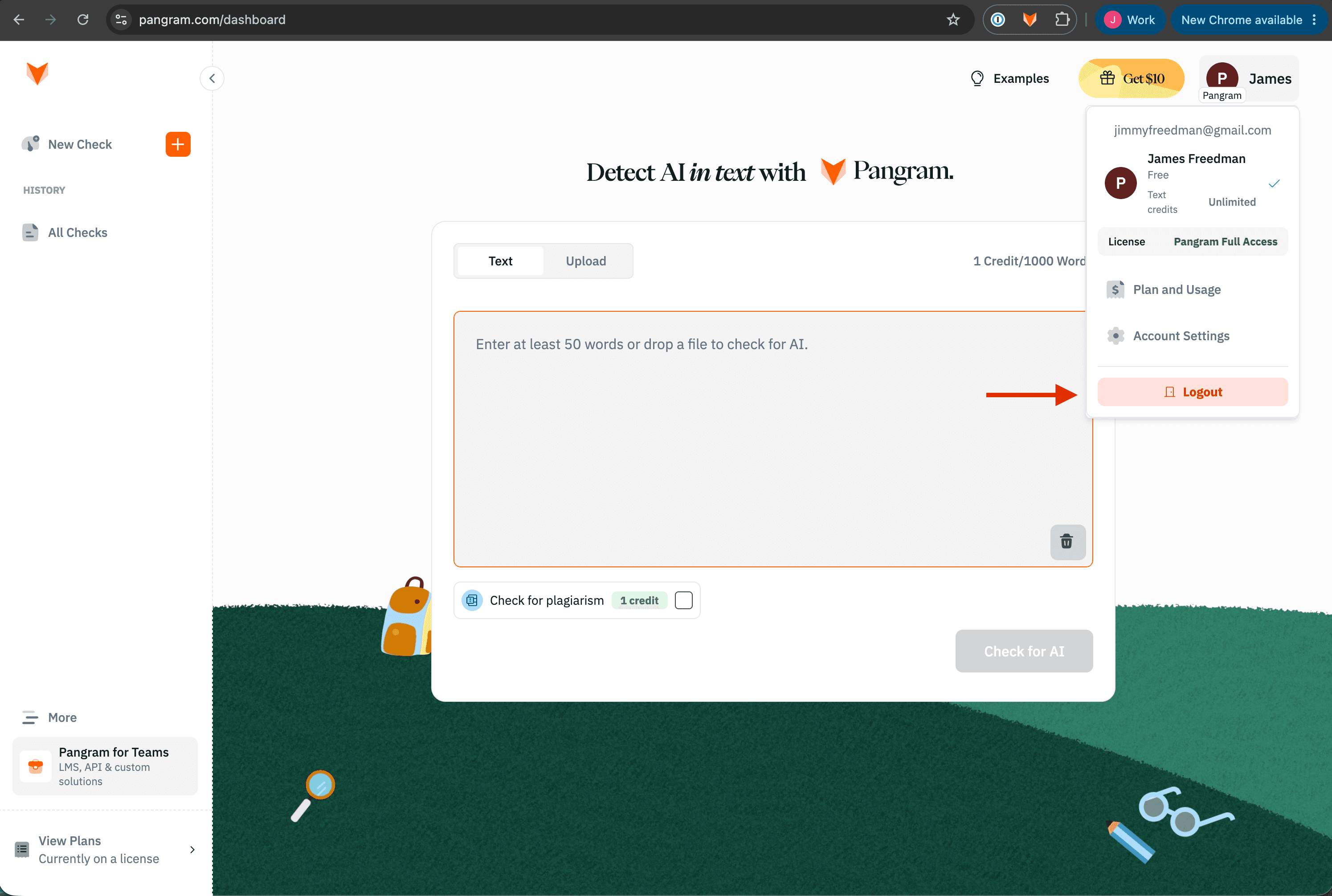
- Hover over your account icon in the top right of the Pangram website while logged in
- Select Logout.