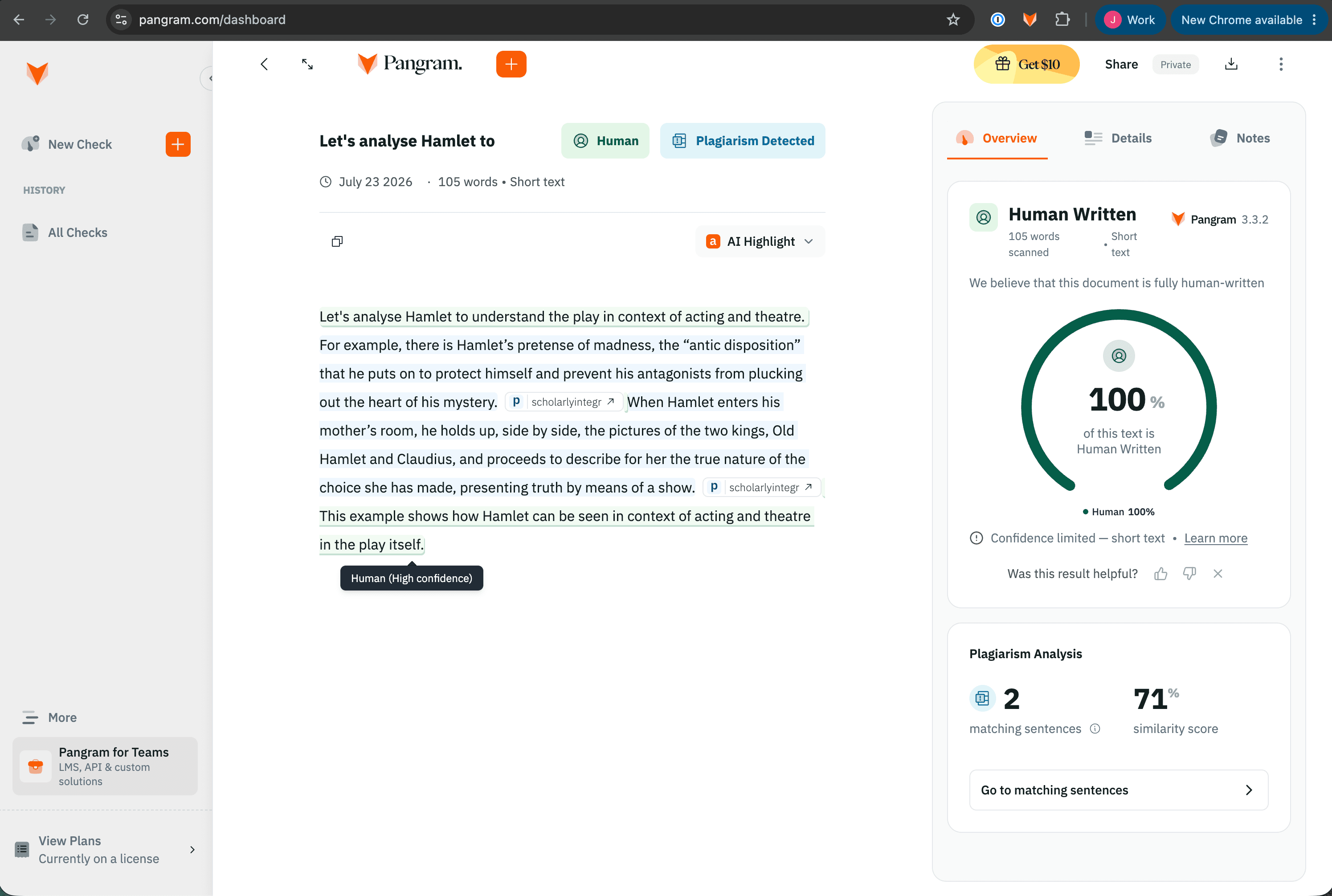
Alongside AI detection, Pangram can check a document for text that matches existing sources. Plagiarism detection is available on the paid Individual and Professional plans, and each check costs 5 credits.
Run a plagiarism check
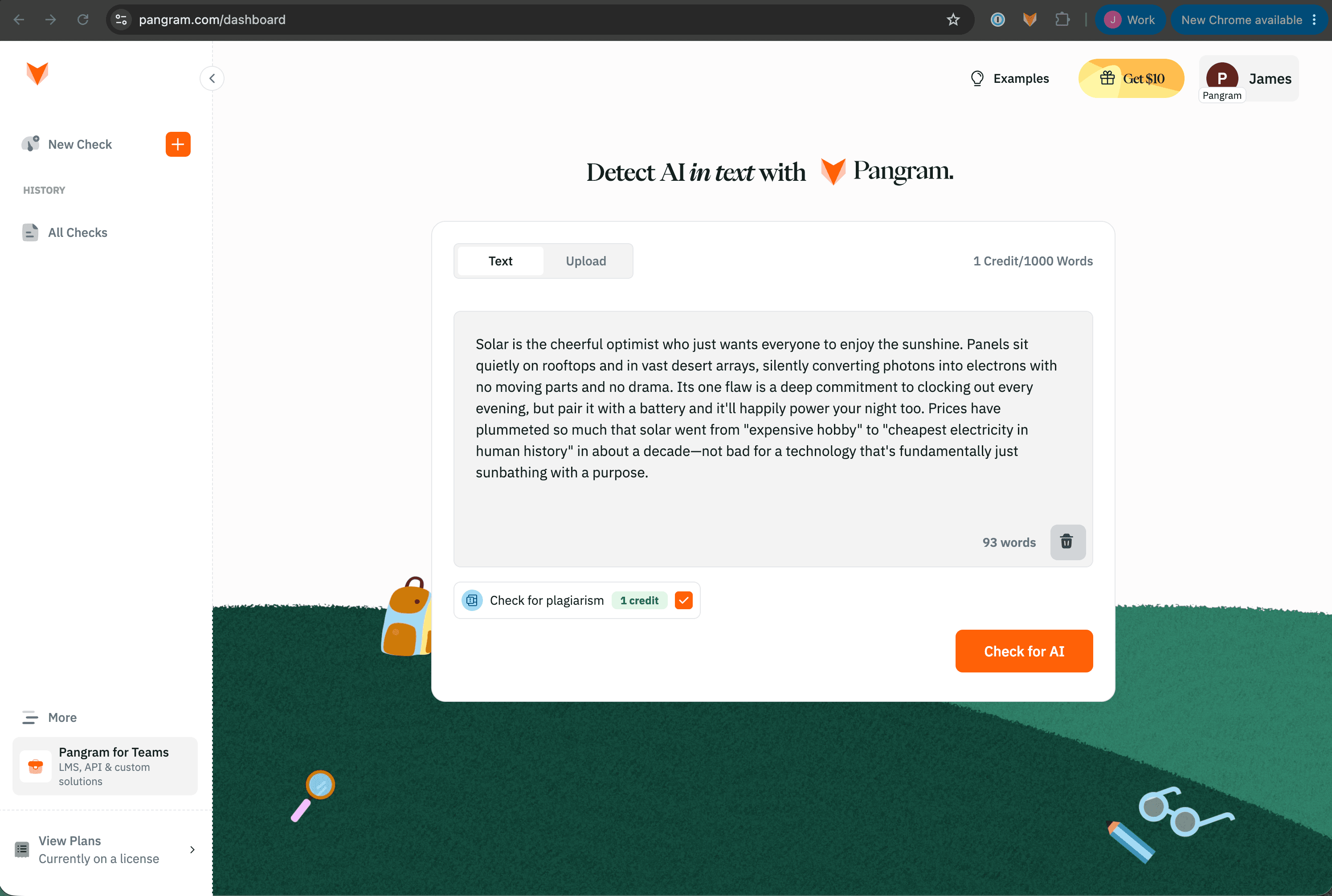
- Open your Pangram dashboard and select "New Check".
- Paste your text or upload a file via the dashboard
- Select "Check for plagiarism" below the text input box.
- Check for plagiarism uses 1 credit. Read more about credits here: What is an AI detection credit?
Read your result
Pangram highlights matched passages and shows where they appear to come from. You may see the highlighted passages shown in blue alongside green (human-written), red (AI-generated), or yellow (mixed) text, and if you click on a passage, you may see the source that it matches to from the plagiarism check.